How to Choose Wireless Bluetooth Earbuds for Your Business?
Choosing Wireless Bluetooth Earbuds for a business is not just a matter of picking the loudest or newest model. Staff may wear them through calls, commutes, shared workspaces, or long shifts. A comfortable fit, clear microphone, dependable connection, and simple controls can matter more than a flashy feature list. Small details count. Can employees mute calls without fumbling? Do the earbuds stay secure during a walk between meetings? Does the charging case fit beside a laptop in a work bag?
Audio researcher Dr. Sean Olive’s work on listener preferences offers a useful reminder: sound quality should be evaluated, not assumed. That principle applies to workplace gear, too. Compare models with real calls, familiar voices, and the devices your team already uses. Check battery performance over a typical workday, then test how quickly employees can reconnect after stepping away. A specification sheet cannot answer every practical question.
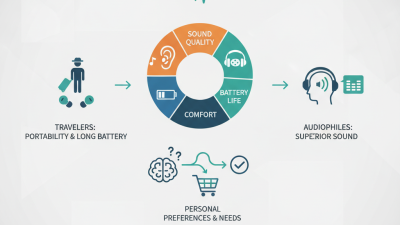
This guide looks at the features that shape daily use, including microphone performance, comfort, battery life, Bluetooth compatibility, durability, and support. It also considers cost across the whole team, rather than treating the lowest purchase price as the best value. There is no perfect fit for every business. Some teams may need stronger call clarity; others may value all-day comfort more. Try a small pilot before placing a large order. It may reveal an inconvenient truth: the model that looks best on paper can feel wrong by lunchtime.
Identify Your Business Use Cases and Earbud Requirements
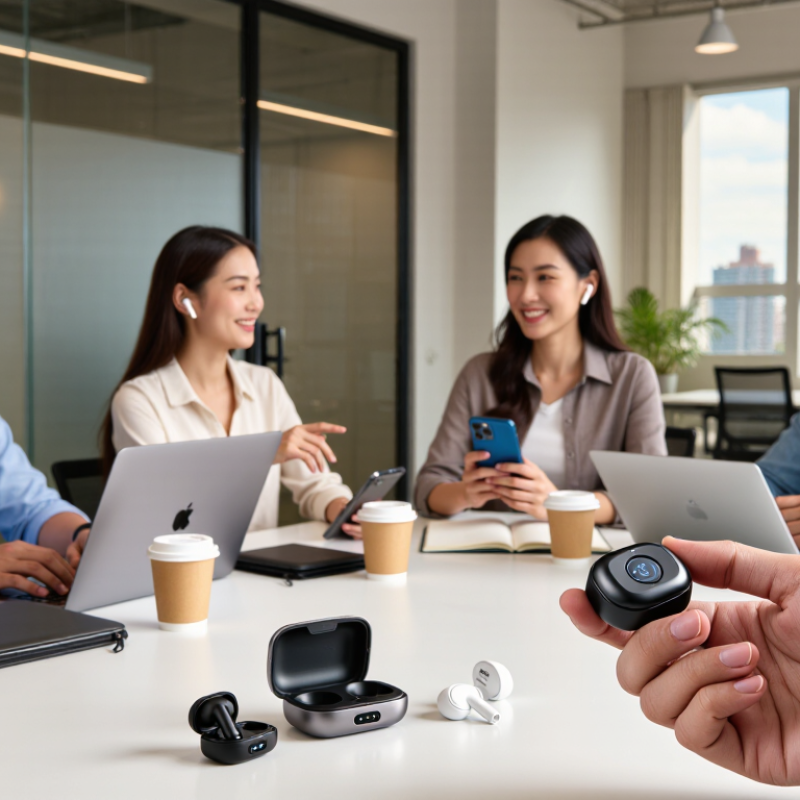
Start with the work people actually do, not a feature checklist. A sales team moving between calls and a noisy trade floor needs clear microphones and quick, reliable reconnection. An office team joining scheduled video meetings may care more about comfortable fit and stable audio throughout the day. That changes everything.
Match requirements to real conditions. For field staff, check battery life across a full shift, physical controls, and whether the earbuds stay secure while walking. For shared desks, multipoint connectivity can reduce the hassle of switching between a laptop and phone. Support teams handling long calls should test microphone clarity with nearby conversations, not just in a quiet room. Small details matter. A control that is hard to use with gloves may frustrate staff more than a missing advanced feature.
Set practical standards before buying: expected daily wear time, devices used, call environments, and charging access. Then let a few employees test samples during normal work, including a busy afternoon. Ask about pressure, voice pickup, and connection drops. Their feedback may conflict, and that is useful. Comfort is personal, while published battery figures may not match real call patterns. Keep notes by role, and revisit the requirements if the trial exposes an assumption that does not hold.
Compare Bluetooth Standards, Audio Quality, and Device Compatibility
For a business, earbuds should fit the workday, not just sound impressive in a quiet showroom. Bluetooth versions can affect connection efficiency and feature support, but a newer version alone does not guarantee better calls or longer range. Check that the earbuds and computers or phones support compatible profiles for calls and media playback. Multipoint can help staff switch between a laptop and phone. It can save time. But it may not behave consistently with every device combination.
Audio quality depends on the task. During calls, clear speech and steady microphone pickup matter more than heavy bass. Test a pair in a real office: sit near a ventilation fan, walk a few steps from the laptop, and listen for dropouts or muffled words. For training videos or focused work, balanced sound and a comfortable fit may matter more. Noise cancellation can reduce steady background sounds, though it cannot remove every nearby voice. Fit matters. Small differences become obvious after two hours.
Before ordering for a team, check operating system support, adapters, call controls, and charging routines. Compatibility lists can be incomplete or outdated, so test the exact laptop and phone models employees use. A short pilot with several users may reveal pairing delays and comfort issues that specifications miss. That is not a perfect test. Still, it offers better evidence than choosing by Bluetooth version alone.
How to Choose Wireless Bluetooth Earbuds for Your Business?
Compare Bluetooth standards, audio quality, and device compatibility. The chart compares the theoretical raw data rates of Bluetooth LE physical-layer modes.
What this means: Higher raw data rates do not automatically mean better audio quality or longer range. Audio quality depends on the supported audio codec and its settings, while connection performance also depends on device support and the environment. For LE Audio, confirm that both the earbuds and the source device support it; a Bluetooth version number alone does not guarantee codec or feature compatibility.
Evaluate Comfort, Durability, and Battery Life
Comfort is an operational metric, not a showroom detail.
Ask staff to wear each candidate for a 30-minute call, then check ear pressure, seal, and fit while walking. A secure fit matters, but tight earbuds can become distracting during long shifts. The World Health Organization’s 2021 World Report on Hearing estimates that 1.5 billion people live with hearing loss worldwide. Keep listening levels moderate, especially in noisy work areas. NIOSH recommends limiting occupational noise exposure to 85 dBA over eight hours; this is workplace guidance, not a personal earbud-volume setting.
For durability, inspect the IP rating and charging-case hinges, then check whether the rating suits your environment. IPX4, for example, indicates protection against water splashes, not immersion. Battery claims need context: call time, active noise cancellation, and volume can shorten real-world runtime. Compare tested call and playback hours, and leave a buffer for a full work shift. Bluetooth SIG’s 2024 Market Update forecasts 7.5 billion Bluetooth device shipments annually by 2028, underscoring how widely connected devices are used. Still, fleet consistency matters more than a large forecast. Test a few units with employees first; comfort is subjective, and paper specifications can mislead.
Review Security, Manageability, Warranty, and Total Cost of Ownership
When choosing wireless Bluetooth earbuds for a business, treat security as an operational feature, not a checkbox. Ask whether devices support current Bluetooth security protections, controlled pairing, and regular firmware updates. A shared meeting-room set should not remain discoverable after use. Small detail, real difference. For employee devices, clarify who can reset them and remove old pairings when staff leave. Avoid assuming that every model handles these tasks equally well; request clear documentation and test a small batch with your IT team.
Manageability matters once dozens of pairs need charging, cleaning, and troubleshooting. Check whether settings can be standardized and whether support teams can identify connection problems without collecting unnecessary personal data. Warranty terms deserve a close read: confirm coverage length, battery exclusions, repair or replacement timelines, and what happens when a charging case fails. Get the details in writing. A low purchase price can hide costs from replacements, spare tips, lost work time, and repeated setup. Estimate those expenses over the expected service life, then compare the total with a more durable option. The estimate will be imperfect; usage varies by team, and batteries age unevenly. Still, a simple spreadsheet with unit price, replacement rate, support time, and downtime makes the trade-offs visible.