Choosing Bluetooth Headphones for a business is not just a sound decision. A headset used for customer calls must handle clear speech, long shifts, and quick handoffs between a laptop and phone. A shared office may need strong noise control; a warehouse may value a secure fit and simple controls more. Small details matter: a muted microphone light, a charging case that stays at a desk, and buttons that work without looking.
The Bluetooth SIG’s 2024 Market Update forecasts nearly 1.5 billion annual shipments of Bluetooth audio-streaming devices by 2028. That scale reflects growing use, but it does not mean every model suits every team. Buyers should compare microphone performance, battery life, comfort, device compatibility, warranty terms, and support costs. For independent audio testing, Sean Olive, a leading headphone researcher formerly with Harman, is a useful expert reference. His published work emphasizes that listener preferences differ, so “best” depends on the person and use case—not a single universal ranking. That is a paraphrase, not a direct quotation.
A practical evaluation should include real calls in the actual work environment. Test one busy afternoon, not only a quiet showroom. Ask staff about pressure after several hours, and check whether voices remain intelligible near background chatter. I would not treat a specification sheet as proof of comfort or call quality; that shortcut is tempting, and sometimes wrong. The right choice is the model that reliably fits the work, the people, and the budget.

Before comparing Bluetooth headphones, map the conversations your team actually handles. A support agent may spend hours on calls in a shared room; a field manager may need clear audio beside traffic or machinery. Ask how many calls happen daily, where staff take them, and whether they move between a desk and a phone. Small details matter. A quiet office and a busy dispatch floor need different microphone and noise-control performance.
Hybrid work makes this assessment more important. A 2024 study published in Nature examined 1,612 employees and found that hybrid work reduced resignations by one-third, without harming performance. That finding does not prove headphones improve retention. It does show why businesses should plan for communication across both office and remote settings. Check which devices employees use, whether calls run through a computer or mobile phone, and how long a typical shift lasts. Comfort counts.
Then match the headset to the task, not the trend. For frequent customer calls, test microphone clarity with background chatter and check whether controls are easy to find by touch. For short internal calls, lightweight fit and simple pairing may matter more than advanced noise cancellation. Test a few options during real shifts. Ask staff what becomes tiring after two hours; their answers may challenge your assumptions. Don’t overlook connection reliability. A headset that sounds excellent but drops calls is a poor business tool.
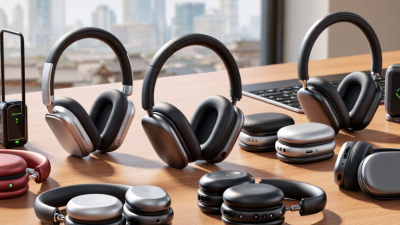
Before buying, match the headphones to the devices employees actually use: laptops, phones, tablets, and desk phones. Check the Bluetooth version, supported audio profiles, and operating-system requirements. A shared Bluetooth version does not guarantee every feature will work; microphone access, call controls, and multipoint pairing can depend on device support. Test a sample unit with a real meeting setup. Does it reconnect after a laptop sleeps? Can staff switch from a call to a phone without pairing again? Small details matter.
Bluetooth SIG’s 2024 market update forecasts annual Bluetooth device shipments will reach 5.4 billion by 2028, reflecting how widely the technology is used. But widespread use is not the same as seamless connectivity. Ask IT to check device-management policies, USB adapter needs, and interference in busy offices. Test headphones in a crowded room, not only at a quiet desk. Listen for dropouts near Wi-Fi access points. Check whether employees can pair two devices at once, if that is part of their workflow. Compatibility lists can be oddly vague. That deserves a second look. Keep a short record of tested models, operating-system versions, and call results; it can prevent repeat troubleshooting when equipment changes.
When choosing Bluetooth headphones for business, test them with real work sounds, not only a music sample. Speech should sound clear without becoming sharp or thin. Play a recorded meeting voice, then listen to a familiar podcast at a moderate volume. Small details matter: Can you understand quiet words? Does the bass mask them? Keep expectations practical. Headphones tuned for calls may not deliver rich music playback, and that trade-off can be worthwhile during a full day of meetings.
The microphone deserves its own test. Record a short call from a quiet room, then repeat it near a fan or keyboard. A good microphone keeps your voice natural while reducing distracting background sounds; it should not make you sound distant or choppy. Noise control is different. Active noise cancellation reduces sound reaching your ears, while microphone noise filtering helps callers hear you. Try both in a shared office, and check whether you can still hear a colleague speaking nearby. Comfort matters too: a tight headband may feel fine for ten minutes and irritating after an hour. I would not trust a single showroom test; a few workdays often reveal the awkward details.
For business use, comfort is not a luxury; it affects how long staff can wear a headset without distraction. Check the pressure of the headband, the warmth of the ear cushions, and whether glasses create a painful pinch. Test the fit during a realistic work block, not just a quick shop-floor try-on. Battery claims also need context: call time, standby time, and charging time are different measures. A headset that lasts through a meeting but dies before the afternoon shift is not a dependable choice. A spec sheet can still mislead.
Durability matters when equipment travels between desks, bags, and shared work areas. Look for replaceable cushions, sturdy hinges, and a charging connection that does not wobble. Ask suppliers how wear is tested, and review warranty terms before ordering in bulk. For audio safety, NIOSH recommends limiting occupational noise exposure to 85 dBA over an eight-hour workday. That guidance is not a headset shopping score, but it is a useful reminder to check volume controls and clear call audio rather than turning sound up to overcome background noise.
Tips: Have staff wear sample units for a full work session, then note hotspots, battery remaining, and any connection dropouts. Keep the notes simple. Real use can expose small flaws that a checklist misses; even a carefully planned trial may overlook something.
Assess comfort, battery life, and durability using practical, measurable checks.
Checklist coverage, not market research: evaluate comfort by fit, clamping pressure, and weight; battery life by measured playback time and charging time; and durability by checking water or dust protection and hinge or cable robustness. Compare the same checks across the models you are considering.
How to Choose the Best Bluetooth Headphones for Your Business?
Review Security, Manageability, and Total Cost of Ownership
A headset is more than a microphone and speakers when staff use it for customer calls or internal meetings. Check how it pairs, stores connection details, and handles firmware updates. Require a clear process for removing a lost device from a phone or computer. Ask your IT team to test pairing in a busy office, not just in a quiet showroom. Small gaps matter.
Manageability shapes daily support work. Look for simple controls for volume, mute, and call handling, plus clear instructions employees can follow without a help desk ticket. If your organization manages devices centrally, confirm whether headset settings can be monitored or updated through existing tools. Test a few units across common laptops and phones. Compatibility claims can be optimistic; real desks are messier.
Compare total cost of ownership, not just the purchase price. Include replacement ear cushions, charging accessories, warranty coverage, support time, and expected battery life. A lower-cost model may become expensive if calls drop or staff need frequent replacements. Track battery performance during a normal workday, including back-to-back meetings. It is easy to overestimate how long a headset lasts. Ask a small group of employees to use shortlisted models for a week, then record comfort issues, connection failures, and support requests before placing a larger order.
Use this comparison to assess business Bluetooth headphones. Capabilities vary by model and software version, so confirm each requirement with product documentation and a pilot before purchasing.
| Evaluation Dimension | What to Check | Why It Matters | Evidence to Request or Test |
|---|---|---|---|
| Bluetooth security | Supported Bluetooth versions, pairing methods, encryption behavior, and how the device handles reconnection and lost pairings. | Bluetooth security depends on the device, connected computer or phone, configuration, and pairing process—not on the version number alone. | Security documentation; supported pairing modes; a test of pairing, reconnection, and removal from a managed device. |
| Device and firmware management | Whether administrators can view device status, deploy firmware updates, configure settings, and manage devices at the required scale. | Central management can reduce manual setup and help keep a fleet on approved firmware. Availability and controls differ by model and management software. | Management-console demonstration; update and rollback procedures; administrator roles; supported operating systems and deployment tools. |
| Privacy and data handling | What the companion application collects, where diagnostic data is processed, and whether optional analytics or cloud features can be disabled. | Applications and connected services may introduce separate privacy and data-retention considerations beyond the headset itself. | Privacy notice, data-processing terms where applicable, retention settings, and a review of required permissions. |
| Compatibility | Support for the organization’s computers, mobile devices, operating systems, conferencing applications, and calling workflows. | Compatibility issues can lead to extra support requests or replacement purchases, even when the headset works with standard Bluetooth audio. | Published compatibility information and a pilot using the organization’s actual devices, applications, and call scenarios. |
| Manageability and support | Availability of inventory records, warranty coverage, replacement parts, user guides, and a clear support path. | Consistent support processes help IT teams provision, troubleshoot, and replace devices with less disruption. | Warranty terms, repair or replacement process, spare-part availability, and a small-scale onboarding and support trial. |
| Audio and work environment | Microphone performance, wearing comfort, battery life, controls, and performance in the employee’s typical noise conditions. | Call quality and comfort are highly dependent on fit, environment, and use pattern; specification claims alone do not establish real-world suitability. | Structured user pilot covering typical calls, background noise, wearing time, charging routines, and user feedback. |
| Total cost of ownership | Purchase price, accessories, setup, support time, replacement frequency, warranty costs, and any required management software. | The lowest purchase price may not be the lowest cost over the service life of the device. | Use the same evaluation period and cost assumptions for every option; calculate cost per user and cost per year. |
TCO worksheet: Three-year cost per user = purchase price + accessories + setup and support labor + management fees + expected replacement or repair costs. Populate the formula with your organization’s quotes and measured support and replacement data; costs vary by supplier, configuration, region, and contract.